 Ride Mitra
Only the rides you want. Accepted first.
Set your minimum fare, pickup distance and working hours once. Ride Mitra watches every booking and accepts the good ones in milliseconds, while you keep your eyes on the road.
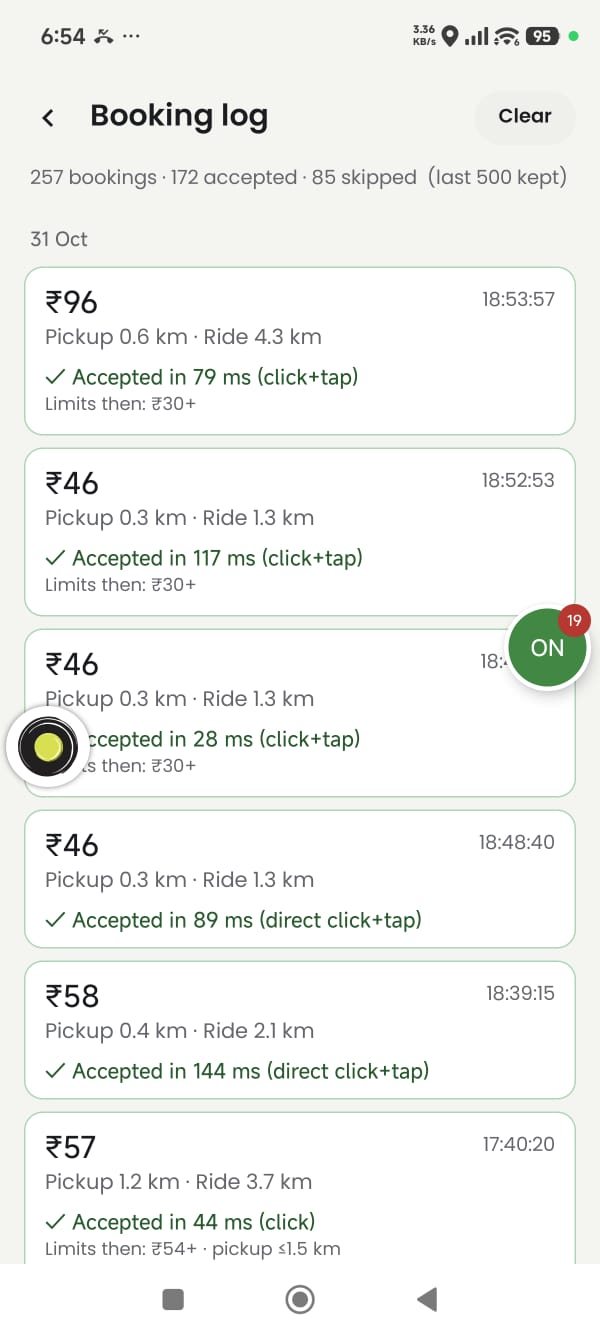
Stop missing good rides. Stop taking bad ones.
Good bookings disappear in seconds. Ride Mitra decides for you, using your own rules, faster than any thumb.
Lightning fast
Finds the Accept button and taps it in milliseconds, the moment a booking that matches your rules appears.
Your rules only
Minimum and maximum fare, pickup distance, ride distance, ₹ per km and working hours. Everything else is skipped.
Works in the background
Use Maps, WhatsApp or take calls. Ride Mitra keeps working and your screen never freezes.
Floating button
Switch on or off, change your fare limits and see today's numbers from a small bubble on top of any app.
Booking log
Every booking with its fare and distance, and why it was accepted or skipped. See exactly what you earned today.
Safe & private
Never taps Reject or Cancel. Booking details are read on your phone and never uploaded to any server.
Your filters. Your earnings.
Tell Ride Mitra what a good ride looks like for you. It checks every booking against your rules before it accepts.
- Skip short, low-fare rides with a minimum fare and ₹ per km
- Avoid long pickups with a maximum pickup distance
- Work only the hours you choose
- Change your limits on the go from the floating button
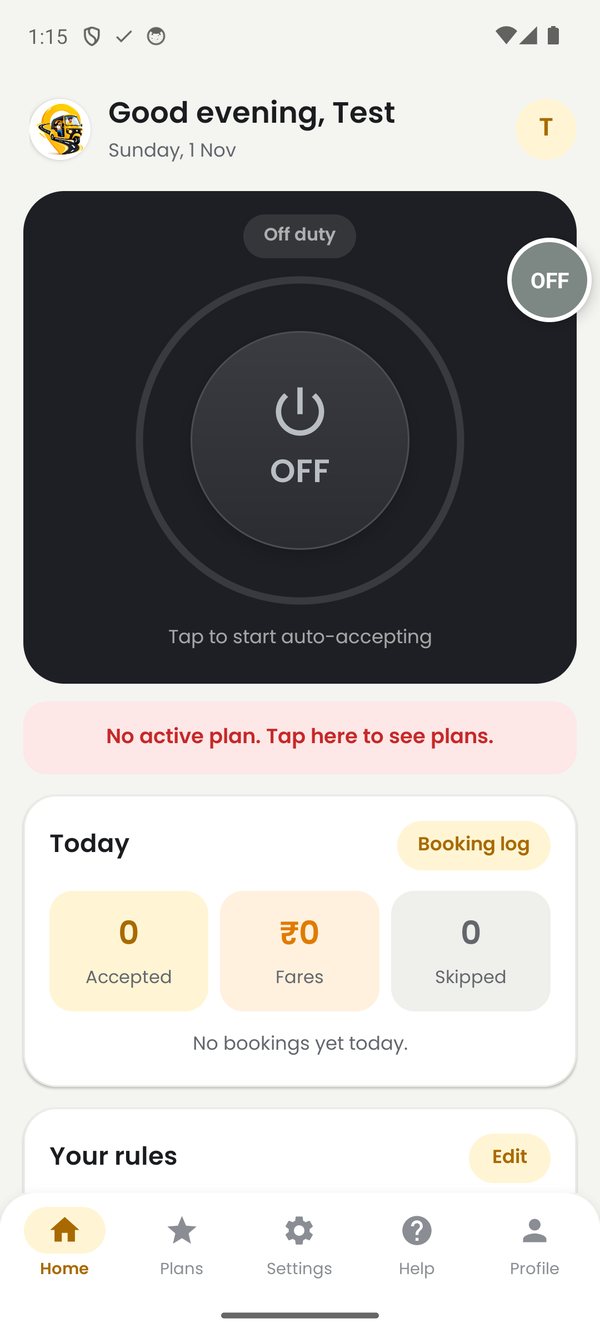
Know exactly what happened to every booking.
The booking log shows the fare, pickup and ride distance of every request, and whether it was accepted (and how fast) or skipped (and why).
- Accepted or skipped, with the reason
- Today's rides and earnings at a glance
- Proof that your filters work the way you want
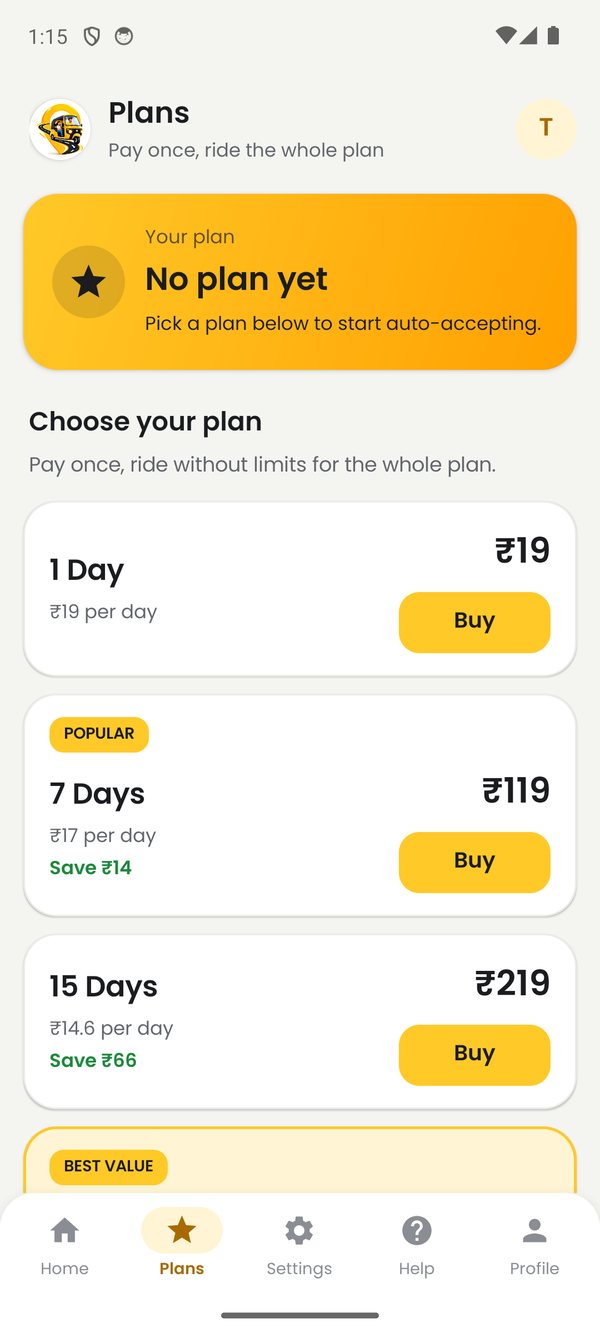
Clean, simple, made for the road
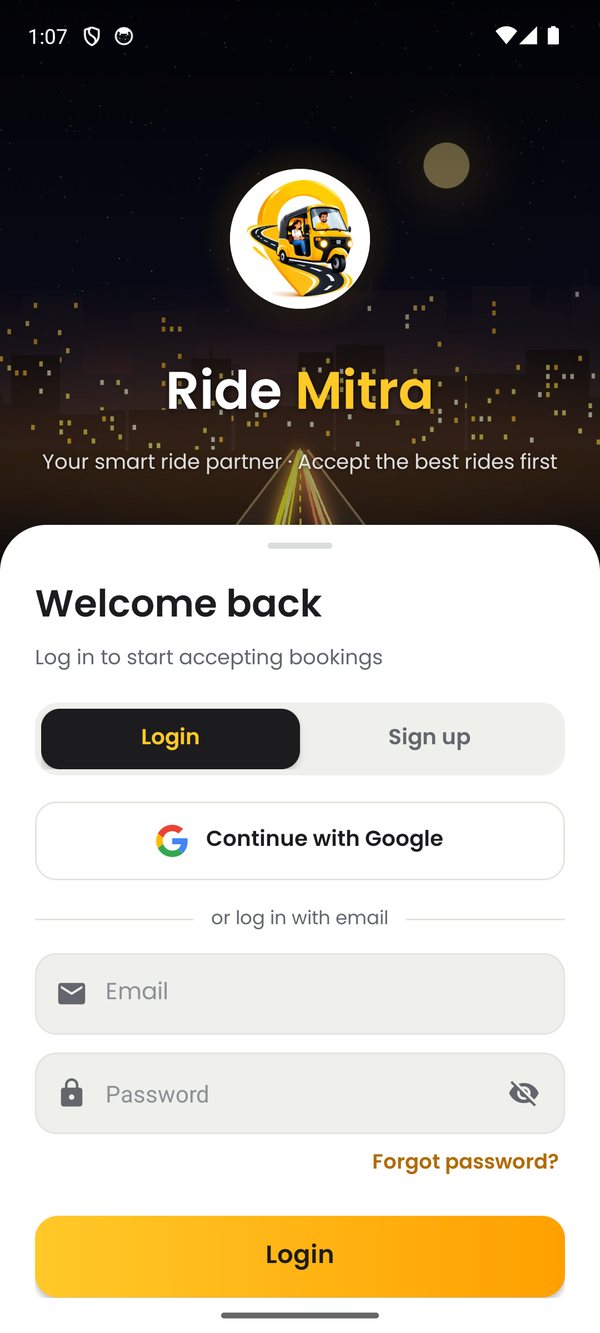
Big buttons, clear numbers, nothing to figure out. Swipe through the screens.
Ready in 2 minutes
No technical knowledge needed. If you can use WhatsApp, you can use Ride Mitra.
Download & sign up
Install the app and create your account with Google or email. The same account works on this website.
Allow access
Turn on Ride Mitra in Accessibility settings so it can read booking requests and tap Accept for you.
Set filters & go
Choose your fare and distance limits, then tap the big power button. That's it.
Your next good ride is coming.
Be the first to get it. Download Ride Mitra and set it up in two minutes.